MineGirly Hub

Details

Avataria Life Dress Up Fashion Game

Avataria Life Dress Up Fashion Game

Developer: Dwarf Wanderer Games
Published: 2024-07-23
Updated: 2026-06-06
Fashion Dress Up Simulation

Reviews

TB Avataria Life Girl offers a satisfying dress-up experience with a wide range of clothing and accessories. The life simulation upgrades add depth, letting you personalize your virtual home. The game is intuitive and runs smoothly in a browser. It encourages creativity without pressure, making it great for casual play. The variety of items provides good replay value as you experiment with different looks and room designs.

About this game

Game Introduction

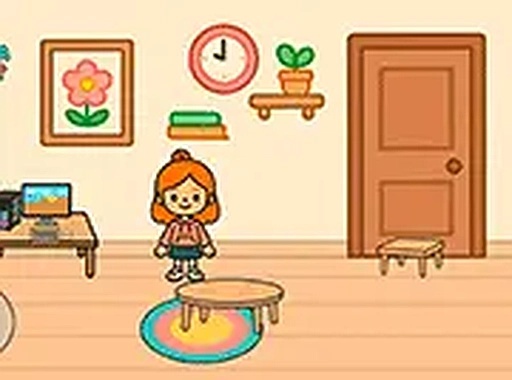
TB Avataria Life Girl Dress Up Online Game - Fashion Game is a creative and relaxing dress-up and life simulation experience. Players can design their own character by choosing hairstyles, eye colors, and skin tones, then select from a wide variety of clothing items, accessories, and shoes to create unique outfits. After dressing up, you can upgrade your virtual home with new furniture and decorations. The game has no time pressure, allowing you to explore and experiment at your own pace. It is family-friendly and suitable for all ages. Play it directly in your browser without any downloads.

How to Play

To play, use your mouse or touch screen to navigate the menus. Start by selecting your character's features, including hairstyle, eye color, and skin tone. Then, browse through the clothing, accessories, and shoes to create outfits. After dressing up, move on to upgrading your virtual home with new furniture and decorations. The game uses clear icons and prompts to guide you. You can experiment with different combinations to unlock new items. For a better experience, play in full screen mode.

Game Features

Game features include: dress-up customization with many clothing and accessory options. Life simulation upgrades let you improve your virtual home. The game is free to play in your browser with no downloads required. It offers a safe, family-friendly environment suitable for all ages.

Tips for Success

To get the most out of the game, take your time exploring all the customization options. Try different combinations of hairstyles, outfits, and accessories to discover your favorite looks. Experiment with various furniture and decorations to create a virtual home that reflects your style. Playing in full screen mode can enhance your experience. Most importantly, enjoy the creative process without worrying about time limits.

Compatibility

💻 Desktop | 📱 Mobile | 📟 Tablet
– All supported · Best with Chrome or Safari
Advertisement

Faq

Is the game free to play?
Yes, the game is free to play directly in your browser. There are no downloads required, and you can start playing immediately. It is designed to be accessible to everyone without any upfront cost.
Do I need to create an account to play?
The game may or may not require an account. Typically, browser-based dress-up games like this one allow you to play without signing up, but some features like saving your progress might require a simple registration. Check the game's interface for details.
Can I play on a mobile device?
Yes, the game is designed to work with both mouse and touch screen inputs. This means you can play on a computer, tablet, or smartphone. Simply open the game in your browser and start playing.
Are there any in-app purchases?
The game is free to play, but it may include optional in-app purchases for additional items or features. These are not required to enjoy the game, and you can still have a full experience without spending money.
Is the game safe for children?
Yes, the game is family-friendly and suitable for all ages. It contains no violent or inappropriate content. The dress-up and home decoration themes are designed to be creative and fun for younger players.
Can I save my progress in the game?
Saving progress may depend on the game's implementation. Some browser games automatically save your data using cookies or local storage, while others might require an account. You can test by closing and reopening the game to see if your creations are preserved.

Leave a Comment