MineGirly Hub

Details

Roller Coaster Builder Online

Roller Coaster Builder Online

Developer: Bright Shift Studio
Published: 2024-03-03
Updated: 2026-06-07
Building Kids Amusement Park

Reviews

WHOAHLer Coaster is a thoughtful building game that teaches design and testing. The drag-and-drop tools are easy to use, and the feedback system helps you learn from mistakes. Kids will enjoy the trial-and-error process and the satisfaction of a perfect ride. The game has good replay value as you can create many different tracks.

About this game

Game Introduction

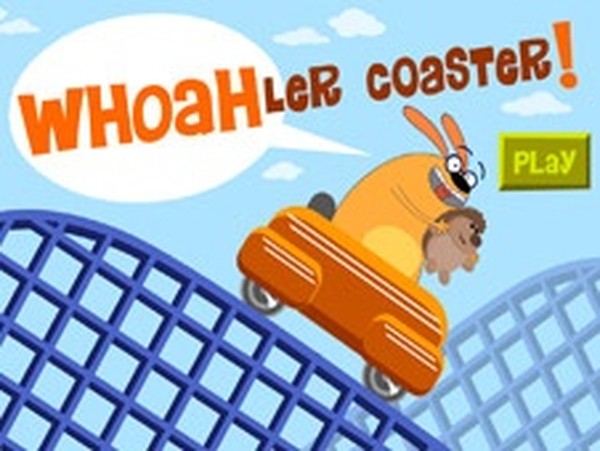
WHOAHLer Coaster Online Building Game is a creative building game where players design and test their own roller coasters. The core objective is to construct a smooth, safe, and fun roller coaster track using simple tools. What makes this game unique is its focus on trial-and-error learning: players build a track, test it with a toy hedgehog, and receive feedback on fun and safety ratings. This encourages engineering thinking and creativity in a family-friendly, non-violent environment. The game is designed for kids and families who enjoy construction and problem-solving activities.

How to Play

Players typically start by selecting track pieces from a menu and dragging them onto a building area. Each piece can be adjusted for length, slope, and curve shape by dragging its ends or control points. After assembling a track, players place a squeaky hedgehog toy on a cart and run a test. The game then provides alerts and ratings for fun and safety, highlighting issues like gaps or steep drops. Players refine their design based on this feedback, repeating the test cycle until the coaster passes all checks. Once successful, they can ride the coaster with a character.

Game Features

The game includes drag-and-drop building tools that allow players to place and adjust track pieces easily. Track segments can be modified in length, slope, and curve shape to create custom designs. A testing system uses a hedgehog toy to simulate rides and provide feedback. Fun and safety ratings help players improve their coasters. The game encourages trial-and-error learning and problem-solving. It is designed for kids and families, with a safe, non-violent theme that promotes creativity and engineering basics.

Tips for Success

Start with simple track designs and gradually add complexity as you understand the mechanics. Pay close attention to the feedback after each test, especially alerts about gaps or steep angles. Aim for balanced ratings in both fun and safety—too much thrill may reduce safety. Experiment with different slopes and curves to see how they affect the ride. Practice regularly to improve your building skills. Remember that trial and error is part of the learning process, so don't be afraid to make mistakes and refine your coaster.

Compatibility

▸ Desktop: Chrome / Edge / Firefox / Safari
▸ Mobile: iOS Safari / Android Chrome
▸ Tablet: iPadOS Safari / Android Tablet Browser
Keep your browser updated for the best experience
Advertisement

Faq

Is this game free to play?
The game is described as an online building game, which typically means it can be played in a web browser. Many such games are free to play, but specific pricing is not mentioned. You may want to check the official website or platform for details on any costs or subscriptions.
Can I play this game on a mobile device?
The game is described as an online game, which often works on desktop computers. Whether it supports mobile devices depends on the platform. Some online games are optimized for tablets or phones, but this is not specified. Check the game's website for device compatibility information.
What age group is this game suitable for?
The game is tagged for kids and is described as family-friendly and non-violent. It promotes creativity and engineering thinking, making it suitable for children and families. However, specific age recommendations are not provided. Parents may want to review the game to ensure it matches their child's skill level.
Do I need to create an account to play?
Online building games sometimes require an account to save progress or share designs, but this is not stated for this game. Some may allow guest play. Since the input does not specify, you may need to visit the game's website to see if registration is required.
Are there different difficulty levels?
The game focuses on trial-and-error learning and does not explicitly mention difficulty levels. However, players can choose to build simple or complex coasters, which naturally adjusts the challenge. The feedback system helps learners of all skill levels improve at their own pace.
Can I share my roller coaster designs with others?
The game is described as an online building game, which sometimes includes sharing features, but this is not confirmed. Some games of this type allow players to save or share creations. For accurate information, check the game's official site or community forums.

Leave a Comment