MineGirly Hub

Details

Matchify: Memory Match Puzzle

Matchify: Memory Match Puzzle

Developer: Creative Mind Dev
Published: 2024-07-17
Updated: 2026-06-10
Puzzle Brain Educational

Reviews

Matchify provides a solid memory matching experience with three grid sizes that scale difficulty well. The visuals are bright and the animations are fluid. Tracking moves and time adds replayability as you aim to improve. It is a good choice for casual players or anyone wanting a quick mental workout.

About this game

Game Introduction

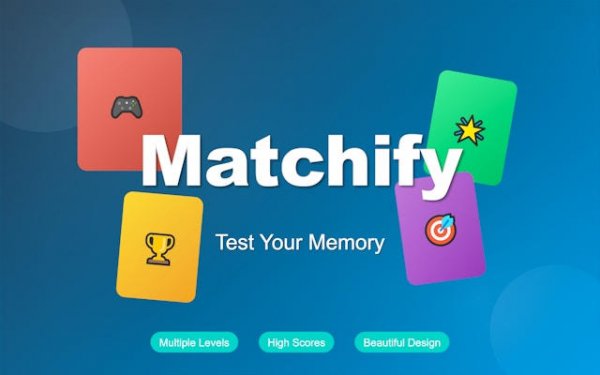
Matchify is a memory match puzzle game that challenges players to flip cards and find matching pairs on a grid. The core objective is to clear the board by remembering card positions, providing a mental workout that improves memory and focus. The game offers three difficulty levels: Easy with a 4x4 grid, Medium with a 6x6 grid, and Hard with an 8x8 grid. Each level presents a fresh layout, ensuring every session is unique. Vibrant visuals and smooth animations create an engaging experience suitable for all ages. Matchify is designed for both casual players and those seeking a cognitive challenge.

How to Play

Playing Matchify is straightforward. Start by selecting a difficulty level: Easy, Medium, or Hard. The game begins with all cards face down. Tap or click on a card to flip it over, revealing an image. Then, flip a second card. If the two cards match, they stay face up and are removed from play. If they do not match, both cards flip back face down. Continue flipping pairs until you clear the entire board. Track your moves and completion time to measure your performance. Strategy involves remembering where cards are located and planning your flips efficiently.

Game Features

Matchify includes three difficulty levels for progressive challenge, vibrant visuals and smooth animations, and score tracking for moves and time. The game also features a progressive level system with fresh layouts and optional bonus rewards to motivate play. Its family-friendly design makes it suitable for all ages.

Tips for Success

To improve your performance in Matchify, focus on memorizing card positions as you flip them. Try to flip cards in a systematic pattern to cover the board efficiently. Practice regularly to enhance your memory and speed. Use the first few moves to explore the layout without expecting matches. Finally, stay patient and avoid rushing, as careful planning often leads to better results.

✅ Compatibility & Testing

• Desktop (Windows 11, macOS Ventura)
• Mobile (iPhone 14, Samsung Galaxy S23)
• Tablet (iPad Pro, Android tablet)
✅Supported browsers: Chrome, Safari, Edge, Firefox (latest versions)
❌ Not supported: Internet Explorer, older browser versions
Advertisement

Faq

Is Matchify free to play?
Based on typical memory puzzle games, Matchify may be free to play with optional in-game purchases or ads. However, the specific pricing model is not detailed in the available information. Check the game's store page for exact details.
Can I play Matchify offline?
The game name includes 'Online,' suggesting it may require an internet connection for features like leaderboards or multiplayer. However, the core memory matching gameplay might be playable offline. Verify with the developer for offline capabilities.
What age group is Matchify suitable for?
Matchify is described as family-friendly and suitable for all ages. The simple mechanics of flipping and matching cards make it accessible to young children, while the varying difficulty levels provide a challenge for adults as well.
Are there any in-app purchases in Matchify?
The provided information does not specify in-app purchases. Many puzzle games of this type may offer optional purchases for hints or cosmetic items, but this is not confirmed for Matchify. Refer to the app store listing for details.
Does Matchify have a multiplayer mode?
The game name includes 'Online,' which might suggest multiplayer or leaderboard features, but the description only mentions single-player gameplay. It is unclear if multiplayer is available. Check the game's features list for confirmation.
How can I reset my progress in Matchify?
The available information does not include a reset option. Typically, memory puzzle games may allow progress reset through settings or by clearing app data. For specific instructions, consult the game's help section or developer support.

Leave a Comment